Dyson Cordless Vacuum Battery Replacement Guide
Honestly, when my Dyson cordless vacuum started losing its charge after only a few minutes, I was pretty bummed. It’s such a great tool for quick cleanups, but a dying battery makes it almost useless. I figured I’d have to buy a whole new vacuum, which felt like a huge waste. But then I started digging into the possibility of a Dyson cordless vacuum battery replacement, and it turns out, it’s a much more straightforward process than I initially thought.
This guide is all about walking you through exactly that – how to get your beloved Dyson back to its full cleaning potential by replacing the battery. We’ll cover what to look for, the steps involved, and some tips to keep in mind. If you’re facing the same power issues I was, stick around; we’re going to get this sorted.
Table of Contents
When to Consider a Dyson Battery Replacement
The most obvious sign is a significant drop in run time. If your vacuum, which used to last 40-60 minutes on a charge, now barely makes it through a single room, the battery is likely the culprit. Another indicator is if the vacuum suddenly cuts out, even when the battery indicator shows some charge remaining. Sometimes, you might notice the vacuum struggling to pick up dirt, especially on higher power settings, which can also be a symptom of a weakening power source. Basically, if your Dyson isn’t performing like it used to and you’ve ruled out blockages or filter issues, it’s time to think about a Dyson cordless vacuum battery replacement.
We found that for many models, the battery life naturally degrades over time, typically after a few years of regular use. It’s a common wear-and-tear item, much like the battery in your smartphone. So, if your vacuum is a few years old and experiencing these symptoms, don’t assume it’s broken beyond repair. A new battery can often breathe new life into it.
Choosing the Right Replacement Battery
This is where things can get a little confusing, but it’s important to get right. You need to find a battery that’s compatible with your specific Dyson model. Dyson uses different battery types for different vacuums, so check your model number carefully. You can usually find this on the vacuum itself, often near the dustbin or on the main body. Look for batteries specifically listed for your Dyson V-series (like V8, V10, V11, etc.) or other relevant model lines.
When I was researching, I saw a lot of third-party options. While these can be cheaper, I would still check reviews very carefully. Some offer similar specs on paper, but their actual performance and longevity might not match an official Dyson part. For my own peace of mind, I leaned towards official replacements or highly-rated, reputable aftermarket brands that explicitly state compatibility and offer a decent warranty. A compatible battery is key, but so is reliability.
The Dyson Cordless Vacuum Battery Replacement Process
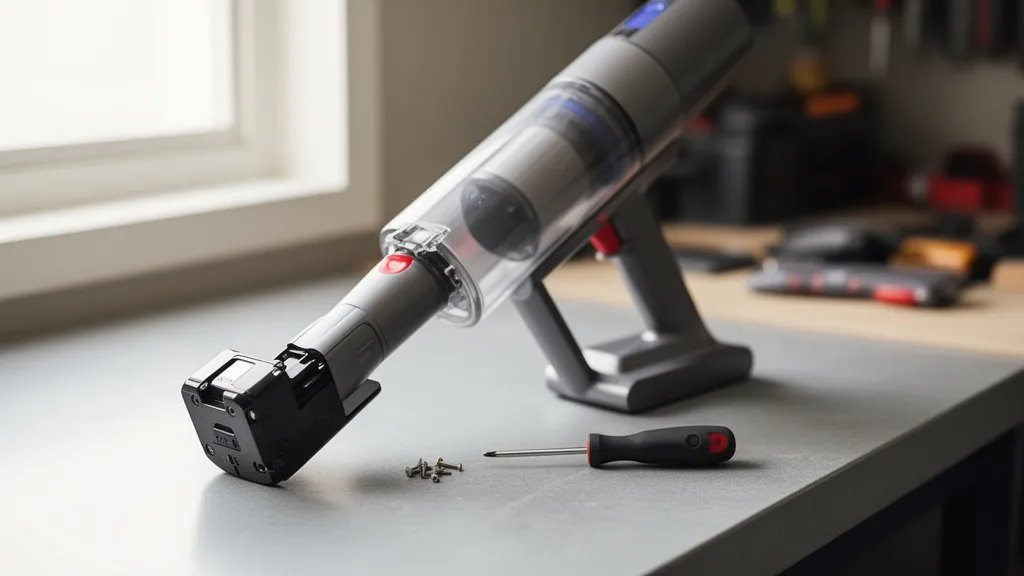
Okay, so here’s the actual replacement part. For most Dyson cordless models, the battery is designed to be user-replaceable, which is great news. You’ll typically need a small Phillips head screwdriver. First, make sure the vacuum is powered off and, if possible, remove any attached tools. Locate the screws holding the battery in place – usually on the handle or the main body where the battery clicks in. Unscrew these carefully.
Once the screws are out, the old battery should slide or pull out. There might be a connector cable that needs to be gently unplugged. Then, align the new Dyson vacuum battery with the housing, connect it if necessary, and slide it into place. Re-insert the screws and tighten them snugly, but don’t overtighten. That’s basically it! It’s a quick job that can save you a significant amount of money compared to buying a new vacuum.
Tips for Maximizing Your New Battery's Lifespan
Once you’ve got your new battery installed and your Dyson is running strong again, you’ll want to keep it that way. A common piece of advice I found is to avoid leaving the battery on the charger indefinitely after it’s fully charged. While modern chargers are smarter, it’s generally better for battery health to remove it once charging is complete. Also, try not to store the vacuum or battery in extreme temperatures, whether very hot or very cold, as this can degrade the battery over time.
Another thing to consider is how you use the power modes. If you’re just doing a quick sweep of a hard floor, using the standard or eco mode will conserve power much better than running it on max mode constantly. Max mode is great for stubborn messes, but for everyday cleaning, it drains the battery much faster. Thinking about these small habits can really help extend the life of your new rechargeable battery.
Frequently Asked Questions
Can I use a non-Dyson battery in my vacuum?
Yes, you can use third-party batteries, but I’d approach this with caution. While they can be more affordable, ensure you’re buying from a reputable seller with good reviews. Look for batteries specifically advertised as compatible with your Dyson model. On paper, they might seem similar, but long-term reliability and actual performance can vary. Always check the warranty offered.
How long should a Dyson vacuum battery last?
A genuine Dyson battery, when properly cared for, typically lasts between 2 to 4 years of regular use. This can vary depending on how often you use your vacuum, which power modes you typically use, and how you store and charge the battery. If yours is within this timeframe and showing signs of weakness, a Dyson cordless vacuum battery replacement is likely needed.
Where can I buy a Dyson vacuum battery?
You can purchase replacement batteries directly from the official Dyson website, which is often the safest bet for ensuring compatibility and quality. Many authorized electronics retailers also carry them. Additionally, reputable online marketplaces offer a wide selection of both official and third-party batteries, but as I mentioned, do your homework on the seller and product reviews.
Useful next reads for this topic include best replacement hose for shark navigator lift away, dyson micro vs shark wandvac, and best lightweight vacuum for pet hair on furniture.
Conclusion
Replacing the battery in your Dyson cordless vacuum is a really achievable DIY task that can significantly extend the life of your appliance and save you money. Instead of letting a fading battery relegate your vacuum to the back of the closet, a simple Dyson cordless vacuum battery replacement can bring it back to its former glory. Just be sure to identify your exact model, choose a compatible and reliable battery, and follow the straightforward steps for installation. Happy cleaning!